
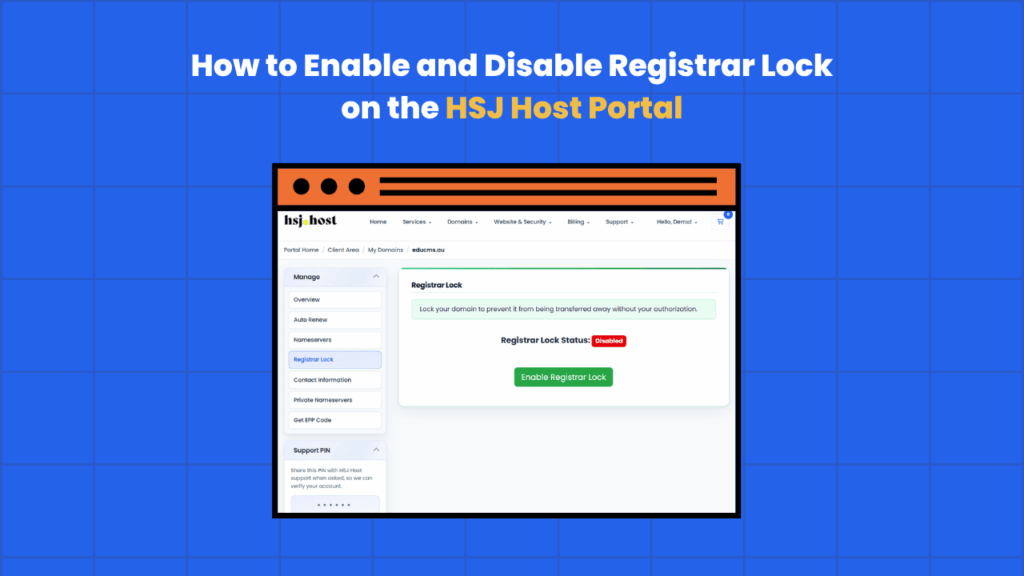
Registrar Lock is a simple setting that protects your domain from being transferred away without your permission. Most of the time it should stay switched on, but there are a few situations, like transferring your domain to another provider, where you’ll need to turn it off temporarily. Here’s what it does and how to change it through the HSJ Host client portal.
What is Registrar Lock?
Registrar Lock (sometimes called a transfer lock or domain lock) stops a domain from being moved to another registrar without authorisation. When it’s enabled, any attempt to transfer the domain away will be blocked, even if someone has your domain’s authorisation code.
It’s a security feature rather than something that affects your website or hosting. Your site, email and DNS all continue working exactly as normal whether the lock is on or off, it only comes into play if someone tries to transfer the domain elsewhere.
For most domain owners, leaving Registrar Lock enabled year-round is the safer default. It’s one extra layer of protection against unauthorised transfers, whether that’s from a mistake, a compromised email account, or someone acting in bad faith.
When to disable Registrar Lock
There’s really only one common reason to turn it off, you’re transferring the domain to a different registrar. Domain transfers can’t go through while the lock is active, so it needs to be disabled first.
A few other situations where it might come up
- You’re consolidating domains under a single registrar
- You’re moving a domain as part of selling a website or business
- A previous provider has asked you to unlock the domain before releasing it
Outside of an actual transfer, there’s generally no reason to have it switched off.
How to disable Registrar Lock
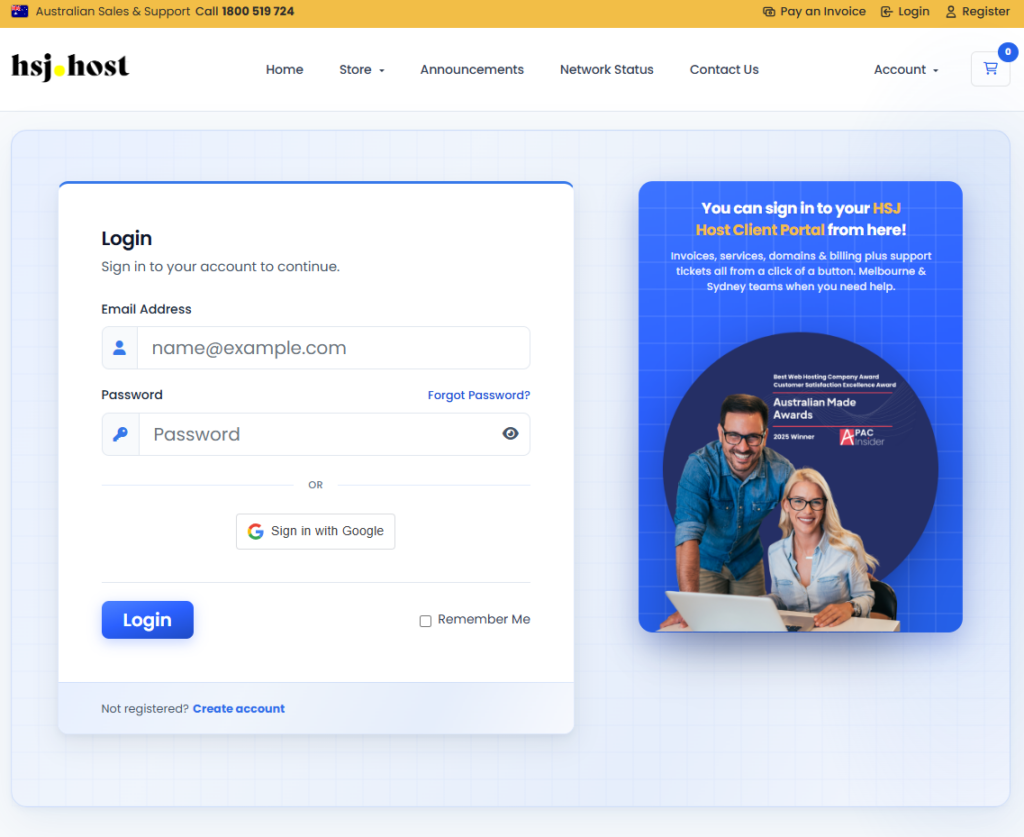
Step 1, log in to the client portal
Go to the HSJ Host client portal and log in with your account details.
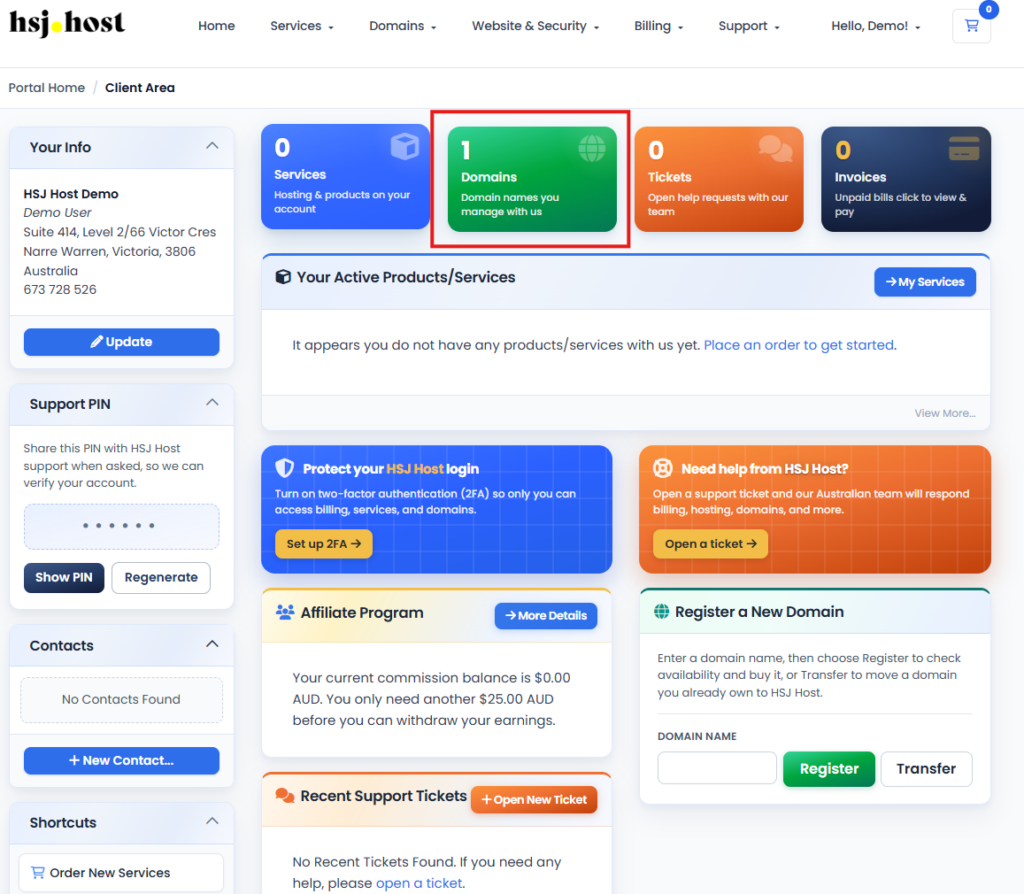
Step 2, open your domain list
Go to the Domains menu and select My Domains to see every domain on your account.
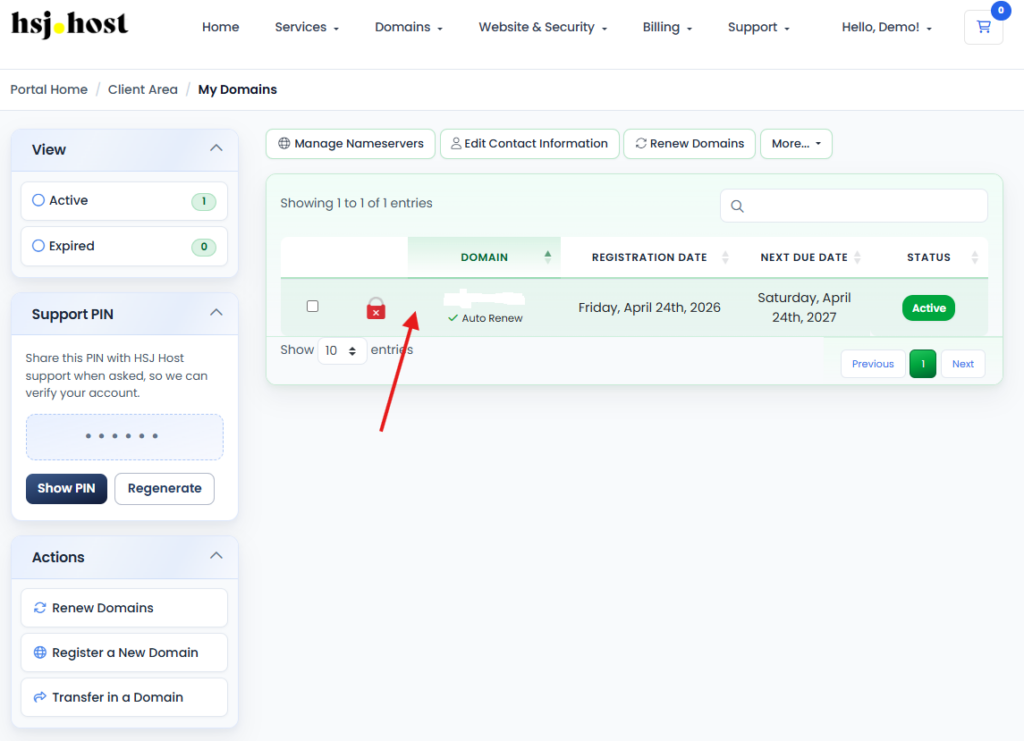
Step 3, select the domain
Click on the domain you want to unlock to open its management page.
Step 4, find the Registrar Lock toggle
On the domain management page, look for Registrar Lock (this may also appear under a Management or Security tab, depending on your portal layout). You’ll see a toggle or switch showing whether the lock is currently on or off.
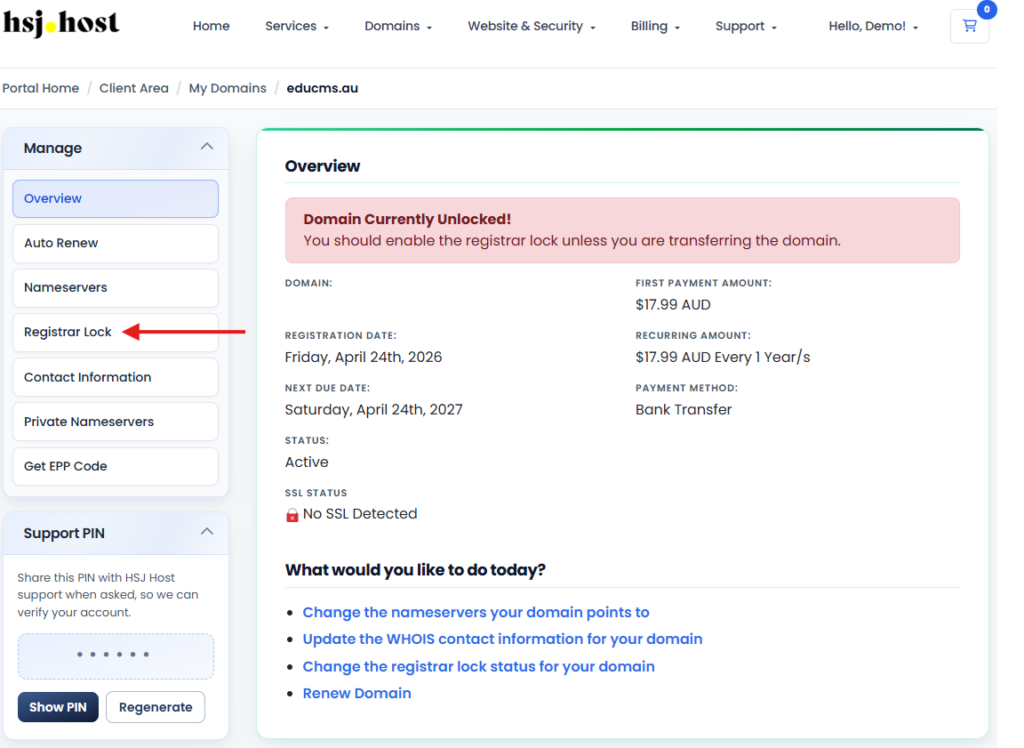
Step 5, turn the lock off
Switch the toggle to disable Registrar Lock. Some portals will ask you to confirm the change.
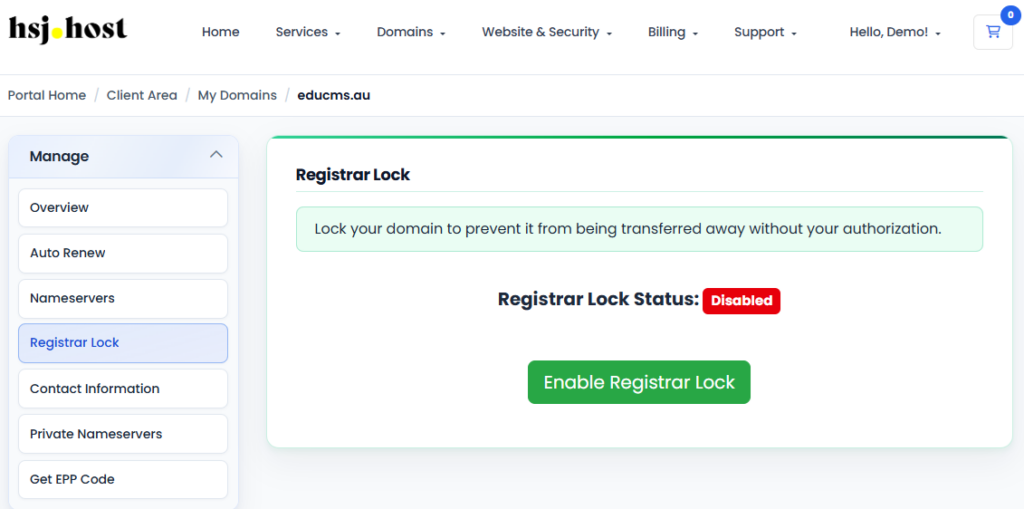
Once it’s off, you’re free to proceed with requesting your domain’s authorisation (EPP) code and starting the transfer with your new registrar.
How to re-enable Registrar Lock
Once a transfer is complete, or if you disabled the lock and no longer need it off, switching it back on takes the same steps in reverse.
Step 1, log in and open the domain
Follow steps 1 to 4 above to get back to the Registrar Lock setting for your domain.
Step 2, turn the lock back on
Switch the toggle to enable Registrar Lock again.
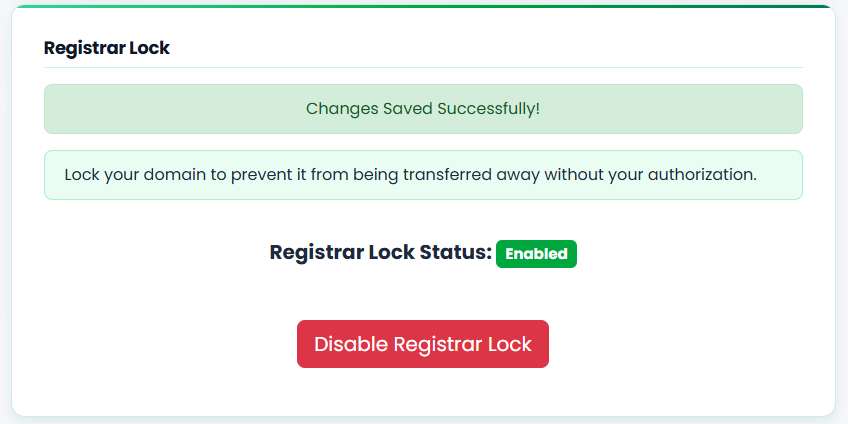
That’s it, your domain is protected against unauthorised transfers again.
Things to keep in mind
- A domain can’t be transferred out while Registrar Lock is enabled, so if a transfer seems stuck, this is the first thing worth checking
- Turning the lock off doesn’t start a transfer by itself, it just removes the block so a transfer can go through if one is initiated
- If you’re not planning to transfer your domain any time soon, there’s no downside to leaving the lock switched on
- Some registrars apply a short lock automatically after certain changes (like an ownership update), which is separate to this setting and will clear on its own
Troubleshooting
I can’t find the Registrar Lock setting
It’s usually on the main domain management page, but the exact tab name can vary depending on your domain extension. If you can’t locate it, our support team can confirm where it sits or make the change for you.
I disabled the lock but the transfer still failed
Registrar Lock is one of several things that can block a transfer. Double check the domain isn’t within 60 days of registration or a previous transfer, and that you’re using a valid, up to date authorisation code.
Will disabling Registrar Lock affect my website or email?
No. It only affects the ability to transfer the domain to another registrar. Your hosting, DNS, email and website continue running as normal.
Need a hand?
If you’d like help enabling or disabling Registrar Lock, or you’re partway through a domain transfer and something’s not going to plan, the HSJ Host support team is available 24/7 through the client portal or by calling 1800 519 724.