
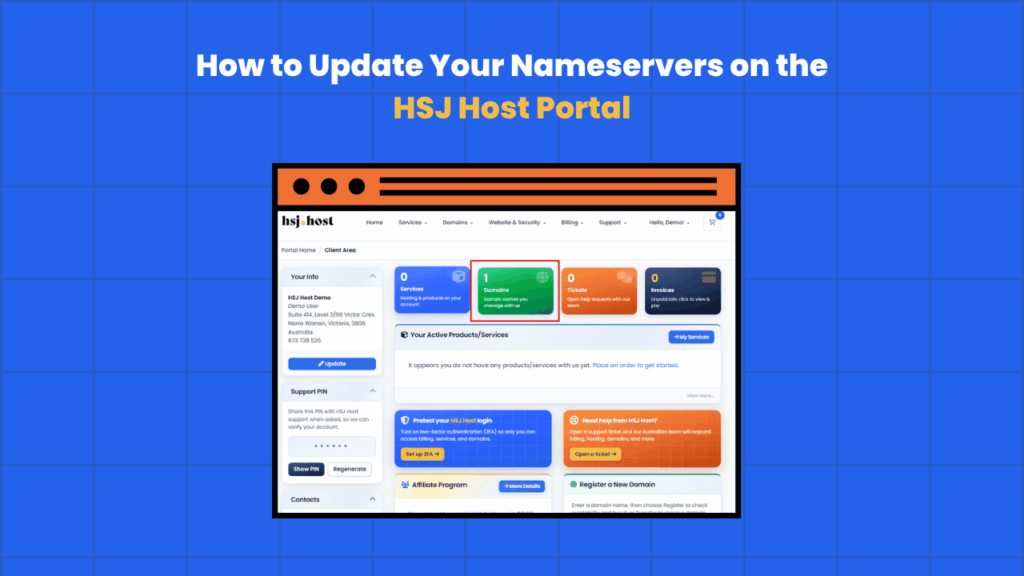
If your domain is registered through HSJ Host, updating your nameservers only takes a few minutes through the client portal. This guide walks through the process from start to finish, including where to find the right screen and what to expect once you’ve made the change.
If you’re not sure which nameservers to use for your account, check our guide on HSJ Host’s nameservers for cPanel hosting first, then come back here for the steps.
Before you start
A couple of things to check before making any changes.
- Make sure you know which nameservers you need. Most standard cPanel hosting accounts use
ns1.whitelabelhostingplatform.comandns2.whitelabelhostingplatform.com, while reseller hosting accounts usens1.hsj.hostandns2.hsj.host. Your welcome email will confirm which pair applies to your account. - Nameserver changes take some time to fully propagate, generally a few hours, sometimes up to 48 hours. Try to make the change during a quiet period for your website rather than in the middle of a launch or campaign.
- This guide covers domains registered through HSJ Host. If your domain sits with a different registrar, you’ll need to update the nameservers there instead, though the general steps are similar.
Step 1, log in to the client portal
Head to the HSJ Host client portal and log in with your account email and password.

Step 2, open your domain list
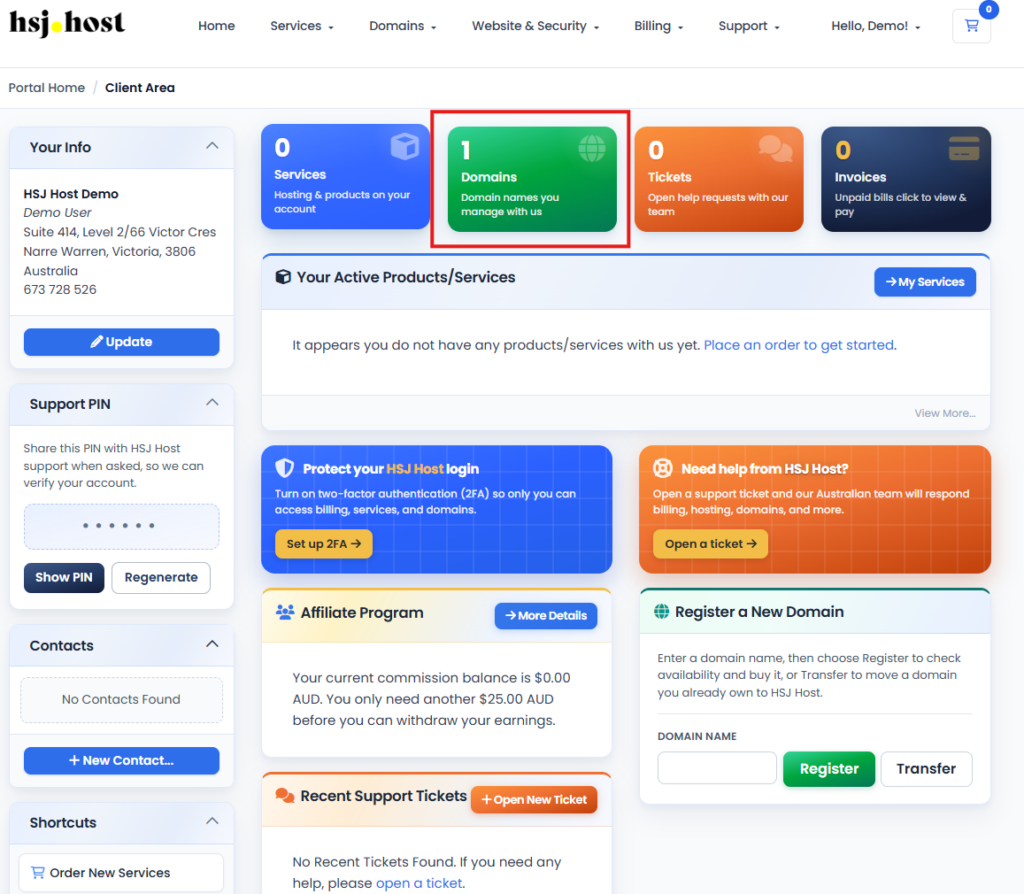
Once logged in, go to the Domains menu and select My Domains. This brings up a list of every domain registered or managed under your account.
Step 3, select the domain you want to update
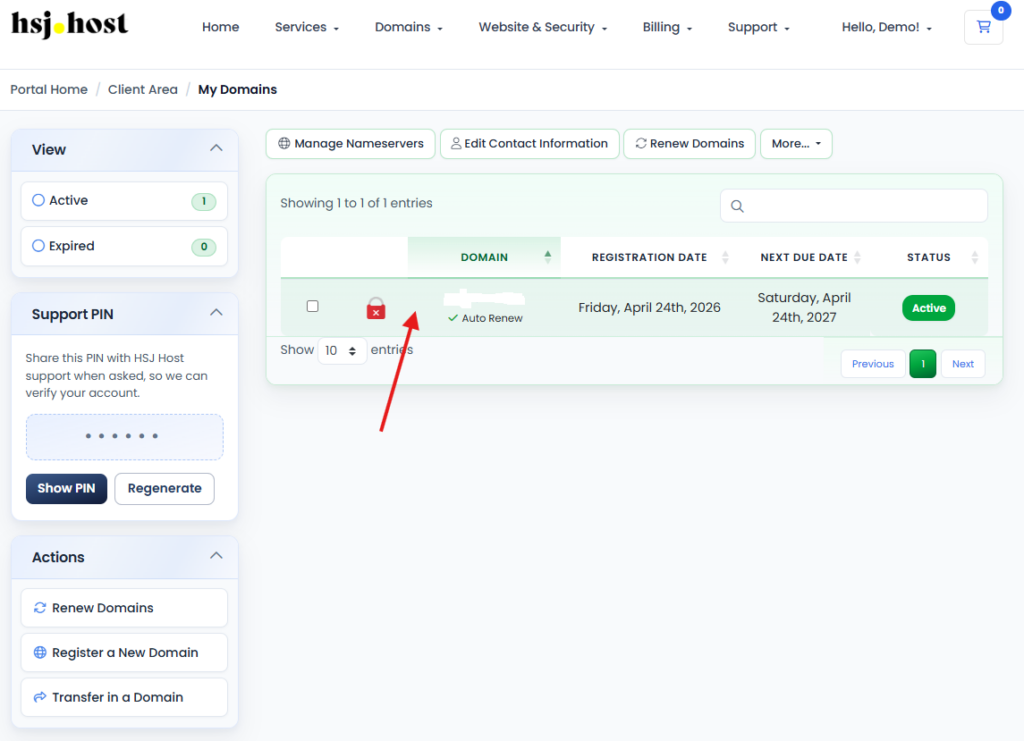
Find the domain you want to change and click on it to open its management page.
Step 4, find the nameservers tab
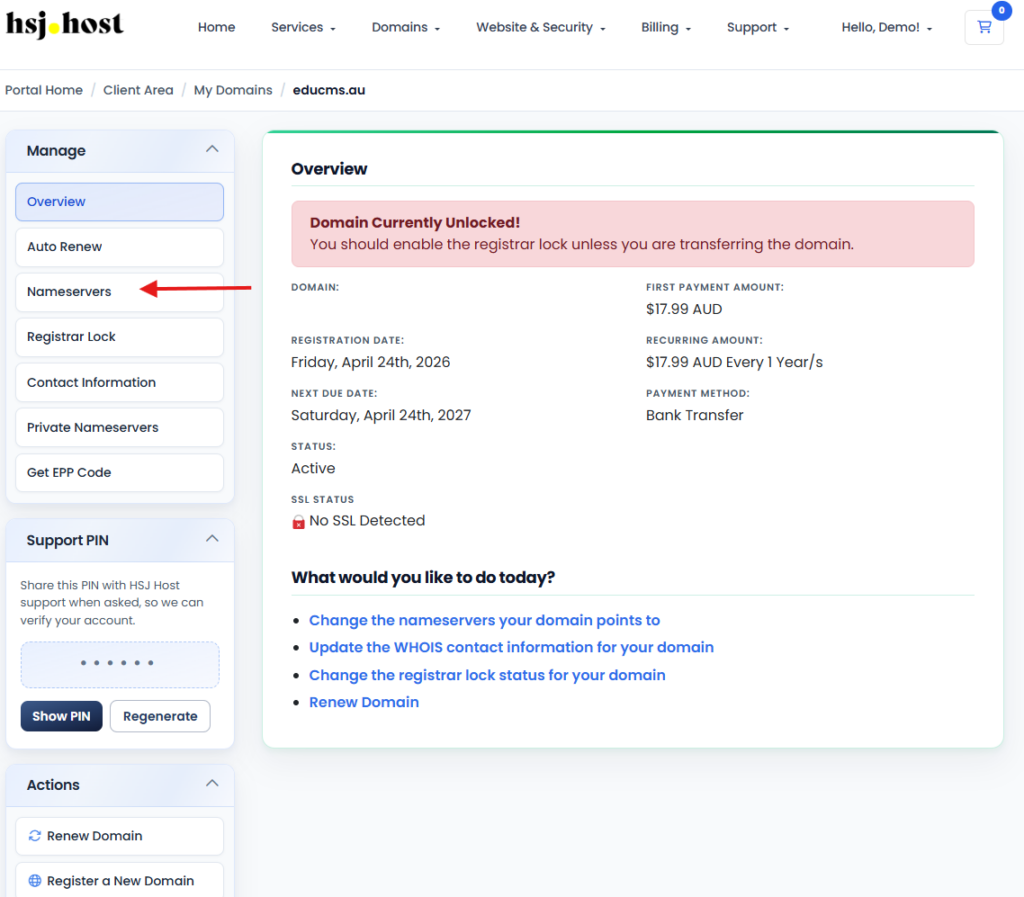
On the domain management page, look for the Nameservers tab. This is where your domain’s current nameservers are listed.
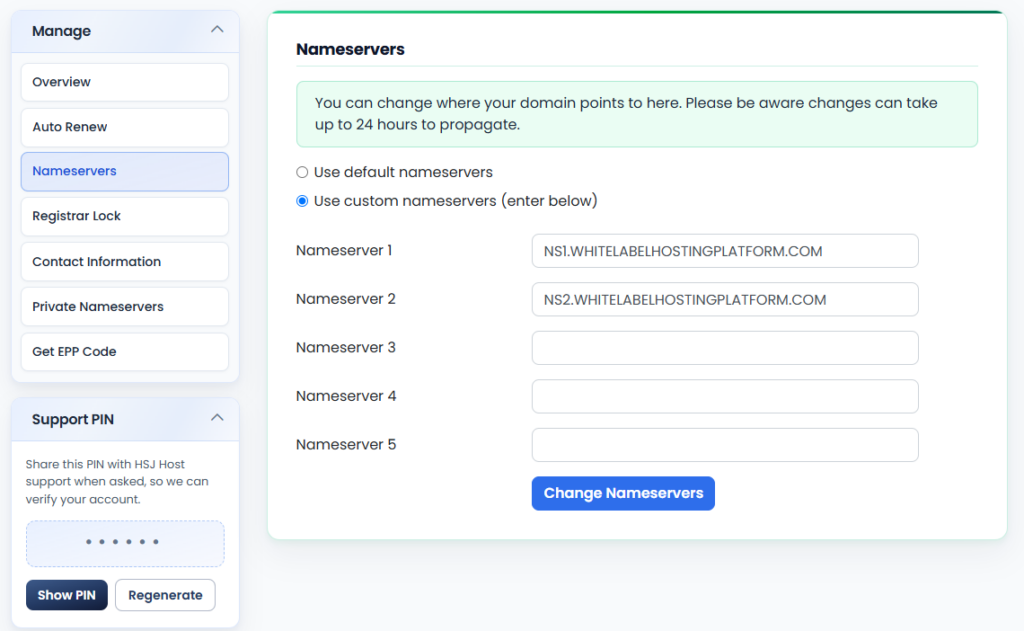
Step 5, enter the new nameservers
Clear out the existing entries and enter the correct nameservers for your hosting account, one in each field. Double check for typos here, an incorrect nameserver is one of the most common reasons a domain stops resolving correctly.
Step 6, save your changes
Click Change Nameservers (or Save Changes, depending on your portal version) to apply the update. You’ll usually see a confirmation on screen once the change has gone through.
What happens next
Your domain won’t switch over instantly. DNS changes need time to propagate across the internet, and while this is often quick, it can take up to 48 hours in some cases. During that window, it’s normal for your site to load correctly for some visitors and not others, or for you to see an older version of your site briefly. This resolves itself once propagation finishes, no action needed on your part.
Updating nameservers for a domain registered elsewhere
If your domain isn’t registered through HSJ Host, you’ll need to log in to whichever registrar you used instead (GoDaddy and Crazy Domains are common ones in Australia). The steps are broadly similar, look for a domain or DNS management section, find the nameserver settings, and replace them with the HSJ Host nameservers for your account.
Troubleshooting
I updated my nameservers but my site still isn’t loading
This is almost always a propagation delay. Give it up to 48 hours before assuming something’s wrong, and try checking your site from a different network or device in the meantime.
I can’t find the Nameservers tab on my domain
Some domain extensions or registration types display this slightly differently in WHMCS. If you can’t locate it, our support team can point you in the right direction or make the change for you.
I entered the wrong nameservers, how do I fix it?
Just go back through the same steps and re-enter the correct pair. There’s no limit on how many times you can update your nameservers, though frequent changes will extend how long it takes for things to settle.
Need help?
If you’d rather have someone update this for you, or you run into anything unexpected along the way, the HSJ Host support team is available 24/7 through the client portal or by calling 1800 519 724.ers, though frequent changes will extend how long it takes for things to settle.