
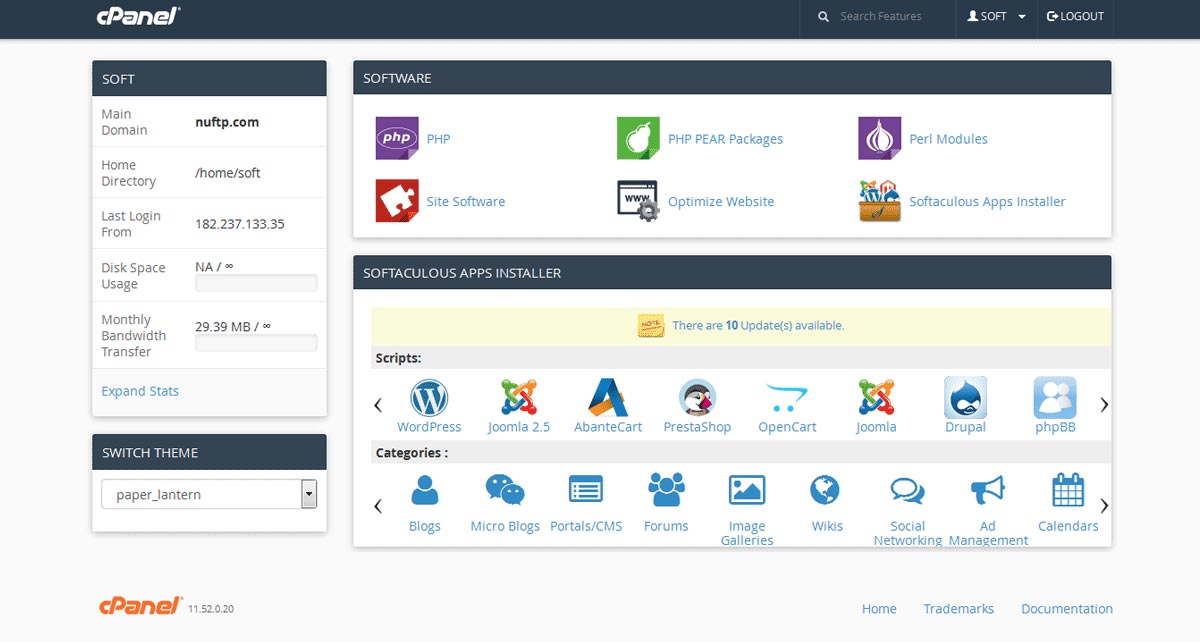
Softaculous is the one-click installer inside cPanel. You open it from the Softaculous Apps Installer icon, pick an app such as WordPress, fill in a few fields, and Softaculous creates the files and the database for you. You do not need SSH, and you do not install the software by hand.
When people ask what Softaculous is, they usually saw the icon in cPanel and want to know whether it is safe to use, or whether it is a separate product they have to buy. On HSJ Host it is included with the hosting account. Softaculous is not a hosting plan, and it is not WHM.
What Softaculous is doing behind the button
A manual WordPress install usually means downloading the zip, uploading it, creating a MySQL database and user in cPanel, editing wp-config.php, then walking through the browser installer. Softaculous runs that sequence for you. It picks a directory (the main domain, a subdomain, or a folder), creates the database credentials, writes the config, and drops you at a finished install with an admin username and password you chose.
That is why Softaculous shows up under Software in cPanel. It is an application installer for that one account. It does not manage other clients’ accounts, and it does not bill anyone.
What you use Softaculous for
- WordPress. The usual job. Softaculous creates the WordPress files, the database, and the admin user. You then log into
/wp-adminand build the site. - Other apps. Softaculous can also install tools such as Joomla, Drupal, phpBB, or a light shop script when a client asks for them. Most Australian agencies still start with WordPress.
- Tracked installs. Softaculous keeps a list of scripts it installed in that account, so you can see which sites came from the installer and which version they are on.
- Install-level backups and clones. On many hosts Softaculous can back up or clone an install it manages. That is useful before a big plugin change. It does not replace the host’s daily account backups.
- A clean start. You avoid downloading WordPress.zip and editing config files unless you want that workflow.
Softaculous lives in cPanel, not in WHM
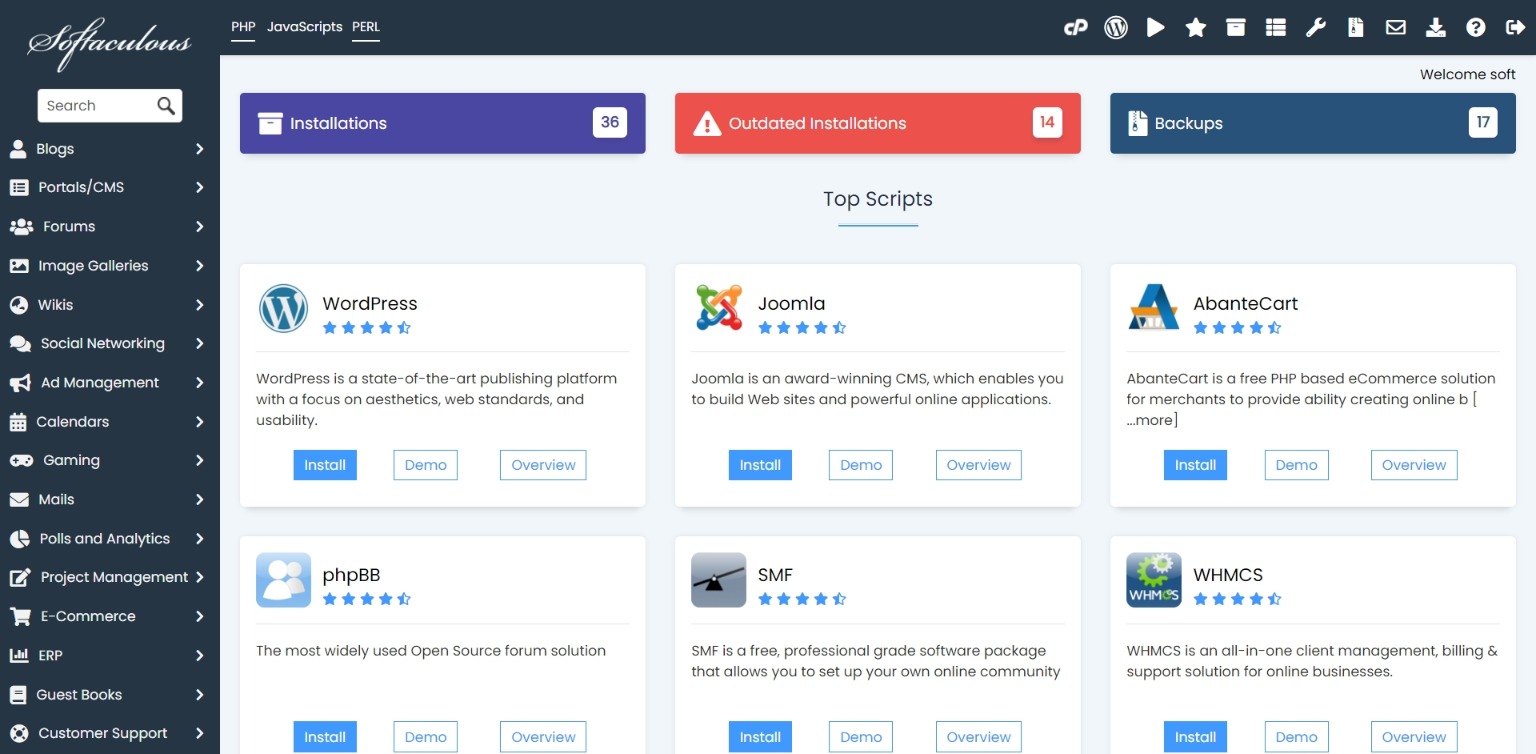
cPanel is one website account: files, email, databases, SSL. Softaculous is a tool inside that account. You open Softaculous after you are already in cPanel.
WHM sits above cPanel. A reseller uses WHM to create the client account. Softaculous is not where you create accounts. Create the cPanel first in WHM, then install WordPress with Softaculous inside that client’s cPanel.
- WHM: create the package and the cPanel account. This login stays with you.
- cPanel: the client’s files, email, and Softaculous.
- Softaculous: install WordPress (or another app) into that one account.
If you only ever log into Softaculous from your own shared hosting cPanel, you are installing apps for yourself. If you log into Softaculous from a client’s cPanel that you created in WHM, you are installing apps for that client. Same tool. Different account.

How agencies install WordPress for a client
If you host several clients, do not install every site into one shared cPanel with addon domains. One broken plugin, one filled mailbox, or one compromised theme then sits next to every other client. Give each client their own account, then use Softaculous in that account.
- In WHM, create a package and a new account for the client’s domain. The click-by-click steps are in How to Create an Account in WHM.
- Point the domain at the reseller nameservers. See How to Connect a Domain to Your Reseller Account.
- Log into that client’s cPanel, not your own.
- Open Softaculous Apps Installer and choose WordPress. Set the protocol (usually https once SSL is active), the domain or folder, the site title, admin username, strong password, and admin email.
- Install, then confirm you can open
/wp-adminwith those credentials. - Hand the client their cPanel login and the WordPress admin login. Keep WHM for yourself.
That is the same stack described in What is reseller hosting. Softaculous is the last step for the site files, not the product that creates client isolation.
What to set carefully on the install form
- Admin username. Do not use
admin. Softaculous will let you type it. Attackers try it first. - Password. Use a long random password. Softaculous is creating a real WordPress user with full control of the site.
- Directory. Installing into a folder such as
/blogis fine when you want WordPress off the homepage. Installing twice into the same path will collide with existing files. - Database name and user. Softaculous can create these automatically. Leave the defaults unless you have a naming convention you need to keep.
- Email. Use an address you monitor. Password resets and some plugin notices go there.
Softaculous is not a hosting plan
Softaculous does not give you disk, email, or a Sydney server. The hosting plan does. Softaculous only installs apps into the account you already have.
On HSJ Host, Softaculous is included on shared cPanel plans and on reseller plans. Shared is the right product when the site is yours. Reseller with WHM is the right product when each client needs their own cPanel. Softaculous appears in both, because both give you cPanel.

Softaculous vs installing WordPress yourself
You can still download WordPress from wordpress.org, create a MySQL database in cPanel, and run the five-minute install. Softaculous does that sequence for you. For a normal brochure site or blog, Softaculous is enough.
Skip Softaculous when your workflow needs something the installer does not own. Examples: a Composer-based deploy, a Git pull to a release directory, Bedrock or a custom bed of mu-plugins you ship from a private repo, or a staging pipeline that never starts from Softaculous’s install list. Those are workflow choices. Softaculous is not wrong. It is simply not the tool for that path.
Softaculous also is not a managed WordPress product. It does not replace plugin updates, theme choices, security hardening, or care-plan work. Installing WordPress in two minutes does not mean the site stays patched. If you sell ongoing maintenance after the install, that is a separate service from the installer. What is a website care plan covers that side.
Backups: Softaculous vs the hosting account
Softaculous backups, when enabled, usually cover the script Softaculous installed. Account backups from the host cover the wider cPanel account: email, other databases, files Softaculous never touched. Treat Softaculous backup as a convenience before a change. Treat host backups as the recovery path when the whole account needs restoring.
After Softaculous finishes, you still need SSL on the domain, nameservers pointed correctly, and a password manager entry for the new WordPress admin. Softaculous does not finish DNS for you.
Where Softaculous sits on HSJ Host
Shared hosting in Sydney includes Softaculous on every plan. Most single WordPress sites start there. If you look after client sites under your own brand, use WHM to create each account, then Softaculous inside each cPanel. The split between those products is explained on cPanel reseller hosting with WHM and in the Softaculous-versus-WHM notes above.
A Linux VPS does not include Softaculous by default. You get root and you install what you need. Softaculous belongs to the cPanel product line, not to unmanaged VPS day one.
If you already have cPanel open, Softaculous is how you get WordPress (or another supported app) live without a manual zip install. If the job is several client sites with separate logins, create each cPanel in WHM first, then use Softaculous per client.